Open the current link
Use the newest invitation sent for the production. Old or already-used links cannot restore a different role.
 FOVEKICLARITY, HELD IN COMMON
App Store ↗
FOVEKICLARITY, HELD IN COMMON
App Store ↗
FOVEKI USER GUIDE · PUBLIC EDITION
Use FOVEKI to give each person a clear next action while the producer keeps the final call. This guide follows the complete operating path across every invited role.
Public guide · Updated August 20, 2026 · Organization license required
THE OPERATING RULE
Begin with what is visible now, not an assumed plan.
Keep the observer, time, source, and affected work attached.
Send the action to the person responsible for it.
A proposal never silently becomes the producer's decision.
01 · FIRST ARRIVAL
FOVEKI opens the correct workspace from a current invitation. The invitation establishes the production, role, and permitted scope.
Use the newest invitation sent for the production. Old or already-used links cannot restore a different role.
Complete the requested sign-in or access restoration. Never share an invitation or access code.
Check the production name, assigned role, reporting line, and next decision before acting.
If access cannot be restored, ask the producer to correct the individual record and issue a fresh invitation.
02 · PRODUCER COMMAND
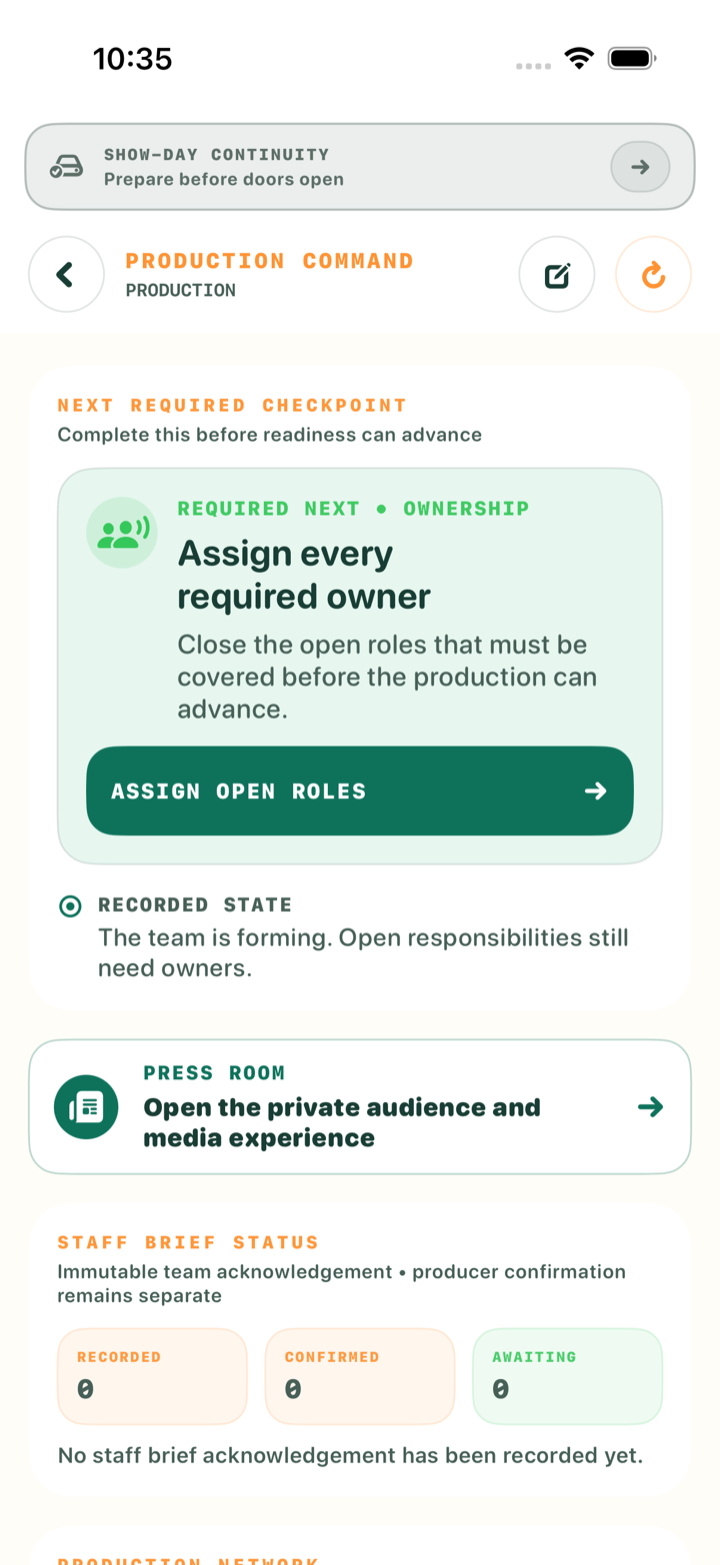
Advance because the required record is visible. Availability of another button never replaces a required confirmation.
Record the outcome, boundary, date, venue, and production promise.
Assign each primary lead and confirm no required area is uncovered.
Place supporting team members beneath the correct lead.
Keep acknowledgement open until both sides visibly confirm it.
Define sessions, rooms, speakers, capacity, access, and price.
Import or add guests, review duplicates, and confirm the invitation offer.
Approve biographies, broadcast details, and sponsor placements.
Send bounded updates to the right audience and keep action visible until acknowledged.
Review lead proposals, corrections, and closure requests separately.
Confirm who is inside, expected, delayed, or blocked.
Validate the protected package and local coordination path.
Resolve or explicitly hold every consequential signal.
Review the shared condition and record GO or NO GO as producer.
03 · LEAD + TEAM WORKSPACES
Every assignment has an owner, boundary, expected result, and visible return path.
04 · MEDIA + PRESS ROOM
The Media Lead prepares producer-approved published context without gaining operational authority.
05 · REGISTRATION + ADMISSION
Guests choose sessions; the production records selections, confirms payment when configured, and issues access tied to that registration.
See available sessions, speakers, rooms, times, and prices.
Confirm free sessions or continue to secure payment where enabled.
Present the issued QR pass at the named session entrance.
A successful scan shows exactly where the guest goes next.
Scale safely: multiple authorized staff members may scan concurrently. Admission never depends on one person or one device.
06 · SHOW-DAY CONTINUITY
The verified package preserves the working picture. Local updates remain attributed and reconcile deliberately when service returns.
Confirm the continuity banner names the correct production and snapshot.
The producer starts the hub; team devices join on the same local network.
Continue bounded work with author and time attached to every update.
When service returns, review reconciliation before accepting the synchronized state.
RECOVERY + SUPPORT
Authorized administration: maintenance controls, access reviews, release gates, and configuration changes are available only in the signed-in FOVEKI Control Room. Operational users continue from their own workspace.
KEEP THE PUBLIC GUIDE
Download the sanitized public edition for role orientation, checkpoint reviews, and show-day reference.
Download PDF · 225 KB ↓